No technical skills required. No expensive tools needed. Just simple, proven tactics that boost your search rankings fast.
Let me tell you a secret about SEO: It’s not nearly as complicated as the “experts” want you to believe.
Sure, there’s a lot of technical stuff happening behind the scenes. But you don’t need to understand how Google’s algorithm works any more than you need to understand combustion engines to drive a car.
You just need to know which buttons to push.
This guide shows you 7 SEO improvements you can make TODAY – even if you’ve never done SEO before. No coding. No expensive tools. Just results.
Ready? Let’s go.
Why These Quick Wins Matter
Before we dive in, here’s why I’m focusing on “quick wins”:
SEO is a long game. Building authority takes months. Creating tons of content takes time. Earning backlinks requires patience.
But small business owners can’t wait 6 months to see results. You need traffic NOW.
These 7 tactics deliver visible improvements fast – we’re talking days or weeks, not months. They give you momentum and prove that SEO actually works.
Then, once you see results, you’ll be motivated to tackle the bigger, longer-term strategies.
Think of these as your SEO foundation. Get these right, and everything else becomes easier.
Quick Win #1: Fix Your Page Titles
Time required: 30-60 minutes
Difficulty: Easy
Impact: High
What’s wrong:
Most small business websites have terrible page titles. Things like:
- “Home” (tells Google nothing)
- “About” (generic and useless)
- “Welcome to Our Site!” (nobody searches for this)
Your page title is THE most important SEO element on each page. It’s the big blue link people see in search results. It tells Google what your page is about.
Bad titles = invisible in search.
How to fix it:
Every page needs a unique, descriptive title with your target keyword near the beginning.
Formula: [Primary Keyword] | [Benefit or Location] | [Brand Name]
Examples:
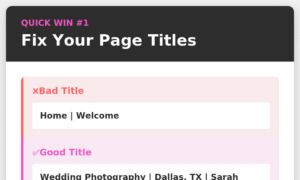
❌ Bad: “Home”
✅ Good: “Professional Wedding Photography | Dallas, TX | Sarah Chen Photography”
❌ Bad: “Services”
✅ Good: “Auto Repair Services | Brake, Engine & Transmission Repair | Mike’s Garage”
❌ Bad: “About Us”
✅ Good: “About Our Family-Owned Italian Restaurant | Est. 1985 | Bella’s Kitchen”
Where to update it:
- WordPress: Yoast SEO or Rank Math plugin
- Squarespace: Page Settings > SEO > Page Title
- Wix: Page Settings > SEO > SEO Title
- Shopify: Page > Search engine listing preview
Pro tip: Keep titles under 60 characters so they don’t get cut off in search results.
Why it works: Google uses your page title to understand what your content is about and to rank you for relevant searches. A good title can boost your rankings overnight.
Quick Win #2: Write Compelling Meta Descriptions
Time required: 45-90 minutes
Difficulty: Easy
Impact: Medium-High
What’s wrong:
Your meta description is the text snippet under your page title in search results. It’s your “sales pitch” to get people to click.
Most websites either:
- Have no meta descriptions (Google makes one up, usually poorly)
- Have generic ones like “Welcome to our website where we offer quality products and services”
- Copy the same description on every page
How to fix it:
Write a unique meta description for each important page that:
- Includes your target keyword naturally
- Describes what’s on the page clearly
- Creates curiosity or urgency
- Includes a call-to-action
Formula: [Describe benefit/solution] + [Include keyword] + [Call to action]
Examples:
❌ Bad: “We are a family business offering many services to our community.”
✅ Good: “Get same-day plumbing repairs in Austin. Burst pipes, clogged drains, water heaters – we fix it all. Call now for 24/7 emergency service!”
❌ Bad: “Quality products at great prices.”
✅ Good: “Shop organic skincare products made with plant-based ingredients. Free shipping over $50. Your skin will thank you. Browse our collection today!”
Character limit: Keep it under 155 characters so it doesn’t get cut off.
Where to update it: Same places as page titles (SEO plugins or platform settings)
Pro tip: Look at what your competitors write in THEIR meta descriptions. If you can write something more compelling, you’ll steal their clicks.
Get Perfect Meta Tags with PokkadotSEO – Try Free →
Why it works: Even if you rank #3, a great meta description can get more clicks than the #1 result with a boring one. More clicks = more customers.
Quick Win #3: Add Alt Text to Every Image
Time required: 1-2 hours
Difficulty: Easy
Impact: Medium
What’s wrong:
Google can’t “see” images. It reads the alt text (alternative text) to understand what an image shows.
Most websites have images with no alt text, or useless alt text like “IMG_2847.jpg” or “image1.”
That’s wasted SEO opportunity.
How to fix it:
Add descriptive alt text to every image on your site:
Formula: [What’s in the image] + [Context/keyword if relevant]
Examples:
❌ Bad: “image1” or “photo”
✅ Good: “chocolate chip cookies cooling on wire rack”
❌ Bad: “headshot”
✅ Good: “Sarah Chen, wedding photographer, holding camera in studio”
❌ Bad: “hero-image”
✅ Good: “modern kitchen remodel with white cabinets and marble countertops”
Where to add it:
- WordPress: Click image > Alt Text field
- Squarespace: Click image > Edit > Advanced > Alt Text
- Wix: Click image > Settings > Alt Text
- Shopify: Product image > Edit > Alt text
Pro tips:
- Keep it under 125 characters
- Be descriptive but natural (write for humans, not robots)
- Include keywords when relevant, but don’t force it
- Never start with “image of…” or “picture of…” (it’s implied)
Why it works:
- Your images can show up in Google Image Search (free traffic!)
- Google understands your content better
- It’s required for accessibility (screen readers use alt text)
Quick Win #4: Target Long-Tail Keywords
Time required: 30 minutes research + ongoing
Difficulty: Easy
Impact: High
What’s wrong:
Most beginners target super competitive keywords like “pizza” or “plumber” or “lawyer.”
Guess what? You’re competing against Domino’s, HomeAdvisor, and massive law firms with million-dollar SEO budgets.
You’ll never rank.
How to fix it:
Target “long-tail keywords” instead – longer, more specific phrases that:
- Have less competition
- Show clearer search intent
- Convert better (because they’re more specific)
Examples:
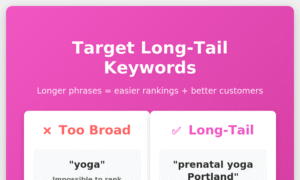
❌ Competitive: “yoga” (1M+ searches, impossible to rank)
✅ Long-tail: “prenatal yoga classes in Portland” (easier to rank, perfect customers)
❌ Competitive: “coffee shop” (good luck!)
✅ Long-tail: “coffee shop with outdoor seating downtown Seattle” (very rankable)
❌ Competitive: “marketing services”
✅ Long-tail: “social media marketing for dental practices” (way more targeted)
How to find long-tail keywords:
- Start typing your main keyword in Google and look at the autocomplete suggestions
- Scroll to the bottom of search results for “related searches”
- Use a keyword research tool to find variations
- Think about how YOUR customers actually talk and search
Where to use them:
- Page titles
- Headings (H1, H2, H3)
- First paragraph of content
- Throughout your content naturally
- URL slugs (yoursite.com/prenatal-yoga-portland)
Find YOUR perfect long-tail keywords with PokkadotSEO – Try Free →
Why it works: Less competition = faster rankings. Specific searches = ready-to-buy customers. It’s the smart play for small businesses.
Quick Win #5: Speed Up Your Website
Time required: 30-90 minutes
Difficulty: Easy-Medium
Impact: High
What’s wrong:
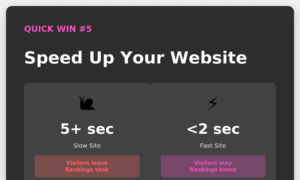
Slow websites frustrate visitors (they leave) and Google (they rank you lower).
If your site takes more than 3 seconds to load, you’re losing customers AND rankings.
Common culprits:
- Massive image files
- Too many plugins
- No caching
- Cheap hosting
How to fix it:
Test your speed first:
- Go to PageSpeed Insights (Google it)
- Enter your URL
- See your score and specific issues
Quick fixes anyone can do:
Compress images before uploading
- Use TinyPNG.com or Squoosh.app
- Aim for under 200KB per image
- Never upload 5MB photos from your iPhone!
Enable caching (tells browsers to save parts of your site)
- WordPress: Install WP Rocket or W3 Total Cache
- Squarespace/Wix: Built-in (nothing to do!)
- Shopify: Use an app like Booster
Remove unused plugins/apps
- Every plugin slows your site
- Delete ones you’re not using
Use a CDN (content delivery network)
- Cloudflare (free plan is great)
- Makes your site load faster worldwide
Upgrade hosting if needed
- If you’re on cheap shared hosting ($3/month), consider upgrading
- Good hosting costs $15-30/month and makes a huge difference
Pro tip: Your homepage is most important. Optimize that first, then tackle other pages.
Why it works: Google explicitly uses page speed as a ranking factor. Plus, faster sites convert better. It’s a double win.
Quick Win #6: Create Your First Backlink
Time required: 1-2 hours
Difficulty: Medium
Impact: High
What’s wrong:
Backlinks (other websites linking to yours) are one of Google’s top ranking factors.
But new websites usually have zero backlinks. That tells Google you’re not important or trustworthy.
You need to change that.
How to fix it:
Get your first few backlinks with these beginner-friendly tactics:
1. Business directories (easiest)
- Google Business Profile (already done, right?)
- Yelp
- Better Business Bureau
- Yellow Pages
- Industry-specific directories
2. Local partnerships
- Join your Chamber of Commerce (instant backlink from their directory)
- Partner with complementary businesses and link to each other
- Sponsor a local team/event (get listed on their sponsor page)
3. Guest posting
- Find local blogs in your industry
- Offer to write a helpful article for free
- Include one link back to your site in your author bio
4. Resource pages
- Google: “[your industry] + resources”
- Find pages listing helpful tools/businesses
- Email them: “Hey, I noticed your resource page. Would you consider adding [Your Business]? Here’s why it’s helpful…”
5. Get interviewed
- Local news sites love featuring small businesses
- Local podcasts always need guests
- Send a pitch: “I have a unique story about [topic]…”
Pro tip: One high-quality backlink from a relevant, trustworthy site beats 100 spam links. Focus on quality, not quantity.
Why it works: Backlinks are Google’s “vote of confidence” system. Sites with more (quality) backlinks rank higher. Period.
Quick Win #7: Publish Helpful Content
Time required: 2-4 hours per piece
Difficulty: Easy-Medium
Impact: Very High (long-term)
What’s wrong:
Most small business websites are just digital brochures:
- Homepage
- About Us
- Services
- Contact
That’s it. No blog. No resources. No answers to questions customers actually ask.
Google rewards websites that help people. Brochure sites don’t help anyone.
How to fix it:
Start creating content that answers questions your customers ask.
Content ideas:
FAQ posts:
- “How much does [service] cost?”
- “How long does [process] take?”
- “What should I look for when choosing [service provider]?”
How-to guides:
- “How to [solve common problem]”
- “DIY [your service]: Step-by-step guide”
- “When to DIY vs. hire a professional”
Comparison posts:
- “[Option A] vs. [Option B]: Which is right for you?”
- “The pros and cons of [thing related to your industry]”
Local content:
- “Best places to [activity] in [your city]”
- “A local’s guide to [topic]”
- “[Your industry] tips for [city] residents”
Your process/behind-the-scenes:
- “What to expect when working with us”
- “A day in the life of a [your profession]”
- “Why we do [thing] differently”
Content formula:
- Answer the question clearly in the first paragraph
- Elaborate with details, steps, or examples
- Include images to break up text
- Add a call-to-action at the end
- Optimize using a content analyzer before publishing
Publishing schedule:
Start with one post per month. That’s it. Consistency beats volume.
Analyze your content before publishing with PokkadotSEO – Try Free →
Why it works:
- Each piece of content is a new opportunity to rank for keywords
- Helpful content builds trust (trust = customers)
- Google LOVES sites that publish regularly
- Old content keeps working for years (passive traffic!)
Your 30-Day Quick Wins Action Plan
Don’t try to do everything at once. Focus on one win per week:
Week 1: On-Page Basics
- [ ] Fix all page titles (use keyword formula)
- [ ] Write meta descriptions for top 5 pages
- [ ] Add alt text to all images on homepage
Week 2: Keyword Strategy
- [ ] Research 10 long-tail keywords for your business
- [ ] Update one page to target a long-tail keyword
- [ ] Plan content around 3 long-tail opportunities
Week 3: Technical
- [ ] Test your site speed
- [ ] Compress and optimize all images
- [ ] Install caching plugin or enable CDN
Week 4: Building Authority
- [ ] Get listed in 5 business directories (backlinks!)
- [ ] Write and publish your first helpful blog post
- [ ] Share it on social media and to your email list
The Compound Effect
Here’s what makes these quick wins so powerful:
Each one individually might only boost your rankings a little bit.
But combined? They multiply each other’s effectiveness.
Better page titles + faster site + helpful content + backlinks = way more than the sum of their parts.
Plus, doing these builds your SEO confidence. Once you see results from quick wins, you’ll be ready to tackle bigger strategies.
Think of it like going to the gym. You don’t deadlift 400 pounds on day one. You start with basics, build strength, then level up.
The Tools That Make SEO Easy
Look, you can do all of this manually. But why make it harder than it needs to be?
PokkadotSEO was built specifically for DIY beginners:
✅ Content Analyzer – Tells you EXACTLY what to fix on each page
✅ Keyword Research Tool – Find rankable keywords in minutes
✅ Competitor Analysis – See what’s working for others
✅ Meta Tag Generator – Get suggestions, not guesswork
Sign up and get 10 free credits. No credit card needed.
👉 Get Instant Access to All SEO Tools
Stop Overthinking. Start Ranking.
Here’s the truth about SEO: Done is better than perfect.
A decent page title published today beats a perfect one you’ll write “someday.”
An okay blog post that exists beats an amazing one that’s still in your head.
Optimized images on half your pages beat perfectly optimized images on zero pages.
So stop waiting until you “learn more” or “have time to do it right.”
Pick ONE quick win from this list.
Do it TODAY.
Then tomorrow, do another one.
That’s how small businesses win at SEO – one improvement at a time.
Your competitors are overthinking it. While they’re reading their fifth SEO guide, you’ll be ranking #1.
Ready to get started? I recommend starting with Quick Win #1 (page titles). It takes 30 minutes and delivers fast results.
Go do it now. Then come back and pick your next win.
You’ve got this! 🚀
Questions about implementing any of these quick wins? Drop a comment and I’ll help you figure it out!